
Browse and edit data
Work with real PostgreSQL types, stage edits, and review before saving.
Double-click a table in the sidebar to open it. Data shows a page of rows; Structure shows schema information. The row inspector stays closed during browsing and opens when you edit a cell or row.
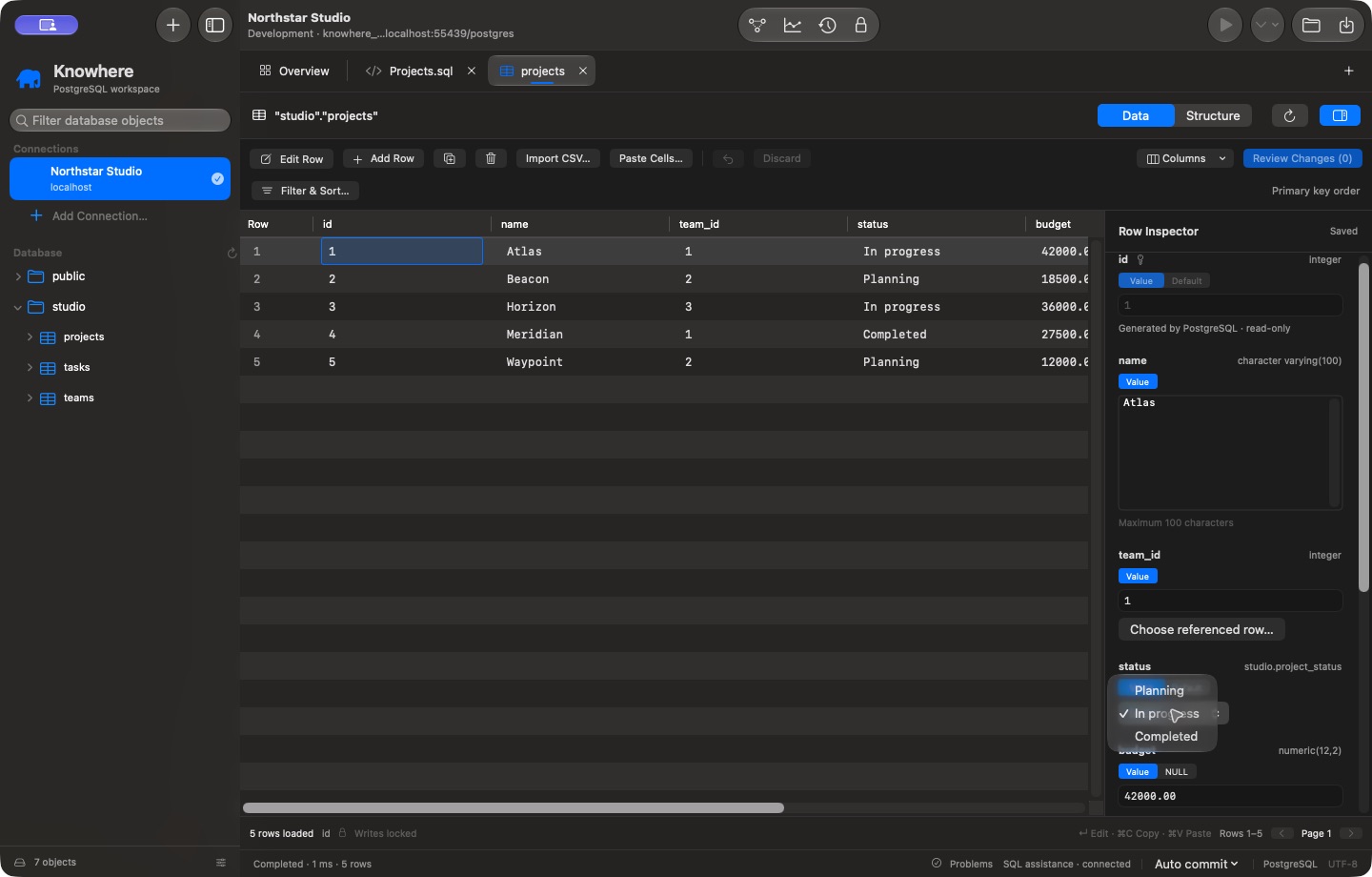
Browse before you change
Use Filter & Sort… for server-side filters and sort rules. The page controls fetch bounded pages instead of loading the entire table. Choose Columns to control visible fields. Refresh when you want to reload current data; resolve pending edits first when prompted.
Edit a typed field
Double-click a cell, select a row and press Return, or choose Edit Row. The inspector offers controls based on schema metadata:
- PostgreSQL enum fields show the allowed values.
- Nullable columns distinguish NULL from an empty string or other value.
- Default requests the PostgreSQL default where supported.
- Generated fields remain read-only.
- Foreign keys offer Choose referenced row… when available.
- Long text and JSON fields scroll inside their editors.
- Length, numeric, JSON, and other supported validation feedback appears before saving. PostgreSQL validates the complete constraint set when the change is submitted.
Changes are staged locally. Editing a field does not immediately update the database. Table editing requires a supported stable row identity; tables without a usable primary key may be browse-only.
Review and save
- Make the intended changes; resolve field validation errors.
- Choose Review Changes, or press Command–S with the table active.
- Review the affected rows and generated SQL.
- Unlock writes if needed, then explicitly save.
Undo and Discard remove staged changes. They do not undo a change already committed to PostgreSQL. If another client changes a row, Knowhere checks its original conflict state rather than silently overwriting it. Follow the conflict feedback and reload/review deliberately.
Add, duplicate, delete, or import
Use Add Row, duplicate, or delete to stage row changes. Import CSV… and Paste Cells… provide previews and mappings before staging supported data. Review NULL/default choices and column types carefully. Importing is not an instruction to bypass PostgreSQL constraints.
Recover interrupted work
Recovery drafts can preserve staged values locally. Use Query → Review Recovery Drafts… to inspect them after an interruption. Restoring a draft does not apply it to the database. After reconnecting, writes are locked again; check actual server state when the outcome of an earlier write is unknown.